Deep Rock Galactic Rogue Core sends you into the dangerous caves of Hoxxes IV to mine resources and fight alien swarms. In our Deep Rock Galactic Rogue Core tips and tricks, we show you how to survive your first runs, manage resources, apply Expenite upgrades, and avoid common mistakes. With the right strategy, you can turn failed dives into progress and push deeper than ever.
Table of Contents
The Difference to Deep Rock Galactic
If you come from Deep Rock Galactic, Deep Rock Galactic Rogue Core may look familiar at first. You’re still diving into caves, mining resources, fighting alien swarms, and trying to get out alive. But structurally, it plays very differently.

The main differences are:
- You start each run from scratch
- Expenite upgrades shape your current build
- In-run upgrades disappear after the mission
- Only meta progression carries over
- Bad upgrade choices can affect the whole run
The floor structure also changes the pacing. Each descent consists of procedurally assembled floors, and the deeper you go, the more dangerous the caves become. Corespawn appear frequently early on, while Rafkan and Shatterclaw enemies become more common later. This means Deep Rock Galactic Rogue Core is less about bringing the perfect loadout and more about adapting quickly.
What to Do on Your First Runs
Your first runs in Deep Rock Galactic Rogue Core shouldn’t be about perfect builds or flawless clears. Treat them as learning runs. You need to understand the UI, the upgrade flow, Expenite income, and how quickly the pressure ramps up if you stay too long.

For your first run, choose a durable Phase Suit. Guardian is great for crowd control, while Slicer offers strong mobility and helps you escape tough situations. Your goal is to survive long enough to learn how the game works.
Focus on these basics:
- Find the Processor Drone early and check how upgrades work
- Learn how much Expenite you need for your first upgrade
- Watch how enemy aggression increases when you linger
- Don’t worry about dying; every failed run teaches you something
On your second run in Deep Rock Galactic Rogue Core, pay closer attention to resources. Learn the difference between normal Expenite deposits and rare Expenite Gems, since Gems can guarantee an Epic upgrade. Take your first useful upgrade early rather than waiting too long. The extra survivability can make a big difference on the floors ahead.
Good early upgrade priorities are:
- Armor Recovery
- Crowd Control
- Defensive effects
- Reliable secondary weapons
- Useful throwables from Equipment Caches
By your third run, start pushing objectives more seriously. Focus on the main mission tasks and see how far you can get without wasting time. If you die, check what caused it. Maybe you ran out of ammo, got overwhelmed by swarms, or ignored a boss mechanic.
Back on the RV 09 Ramrod, visit the Research Terminal to review your permanent unlock options. Your early deaths should guide your first Suit Mod choices.
After that, experiment. Try another class, compare how it feels, and pay closer attention to upgrade synergy. If a weapon already has strong base damage, upgrades such as attack speed or elemental effects may be better than another raw damage boost.
Resources Tips
Combat keeps you alive in Deep Rock Galactic Rogue Core, but resources determine how long your run lasts. The most important rule is simple: Nitra comes first. It’s used for Supply Pods, which refill ammo and health. Without it, even a strong team can collapse in a long fight. Try to keep enough Nitra on hand before things get desperate.

Your resource priority should look like this:
- Nitra for Supply Pods and survival
- Croppa, Umanite, Bismor, Enor Pearl, and Jadiz for long-term upgrades
- Gold for credits, cosmetics, and permanent progression
Gold is useful in Deep Rock Galactic Rogue Core, but don’t throw a run for one risky vein. Mine it when the area is safe, then move on. Crafting minerals are different. Whenever you see Croppa, Umanite, Bismor, Enor Pearl, or Jadiz, grab them if you can. They help unlock weapon upgrades, armor mods, and overclocks, so every chunk matters in the long run.
Also, pay attention to the biome. Some areas are better suited to specific minerals, so you can plan future runs around the resources you still need.
Expenite Upgrades
Expenite is what turns a normal mission in Deep Rock Galactic Rogue Core into a proper roguelite run. You mine it during the descent, deposit it into R.E.P.D. or E.L.I.S., and use it to unlock temporary upgrade choices for your current run.
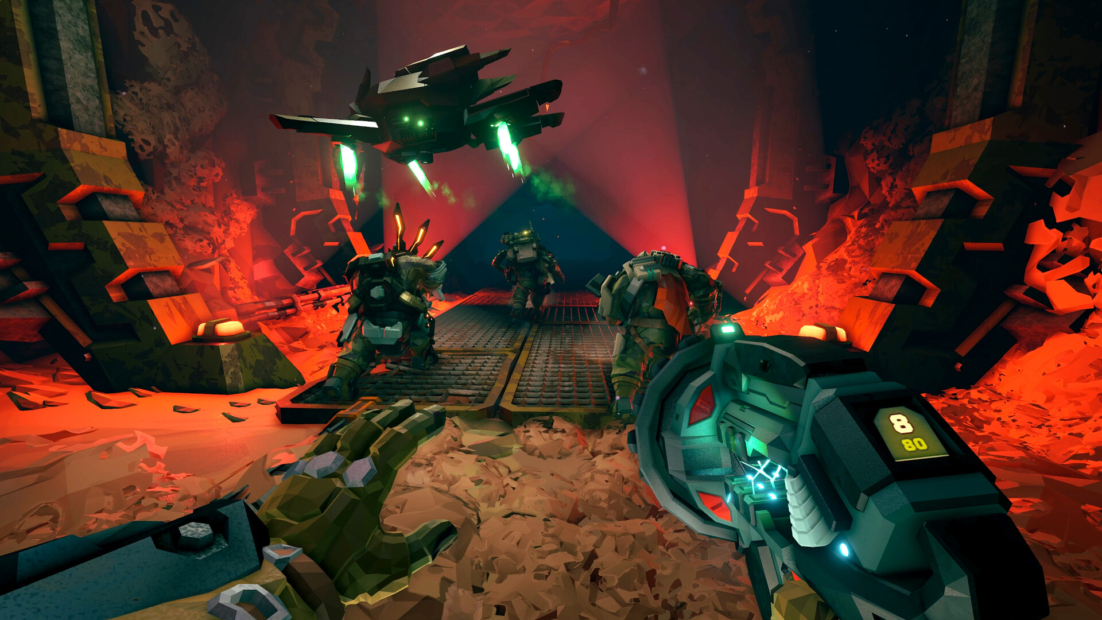
The first upgrade costs 120 Expenite, and it will never be cheaper. After that, each upgrade becomes more expensive, starting at 130, then 140, then 150, and so on. That means waiting too long can hurt you badly, especially when enemies are already getting more aggressive.
A good early rule is simple:
- Mine Expenite whenever it is safe
- Deposit it as soon as you can
- Take your first upgrade early
- Don’t hoard Expenite under pressure
The biggest mistake in Deep Rock Galactic Rogue Core is saving Expenite because the upgrade options do not look perfect. Even a decent defensive or utility upgrade can keep the run alive for several more floors.
In co-op, each player gets their own upgrade choices. In solo play, after you choose your upgrades, Cooper receives an extra row of companion upgrades. You can’t fully control Cooper’s build, but those extra upgrades help solo runs keep pace.
Mistakes to Avoid
The first hours in Deep Rock Galactic Rogue Core can be brutal. One of the easiest ways to lose a run is to underestimate the cave itself. Hoxxes IV isn’t just full of enemies. It’s also full of drops, gas pockets, explosive plants, lava, and other hazards that can drain your health before the real fight even starts.

Watch out for:
- Fall damage, especially when your HP is already low
- Toxic gas clouds that drain health over time
- Exploding plants that can trigger chain reactions
- Lava and geysers in hotter biomes
- Tight spaces where swarms can trap you quickly
Don’t take risky drops just to save a few seconds. Use movement tools, platforms, tunnels, or ziplines whenever possible. If verticality keeps killing you, perks like Hover Boots or Dash can make early runs much safer.
Another common mistake is treating co-op like four solo runs happening at once. In Deep Rock Galactic Rogue Core, team utility matters. If no one handles lighting, crowd control, mining, or sustained damage, the run gets messy fast.
A good team should always think about:
- Who controls swarms
- Who clears priority targets
- Who keeps routes safe
- Who handles resources and objectives
Early upgrades are also easy to undervalue. Don’t hoard resources forever while waiting for the perfect option. Simple Tier 1 upgrades can give you more ammo, higher damage, stronger utility, or enough breathing room to survive the next floor.
For beginners, defensive perks are usually better than damage-focused picks. Iron Will, Dash, Thorns, and Resupplier help you stay alive as you learn enemy patterns and mission pacing. Once survival feels natural, you can start building more aggressively.
Status Effect Overview
Status effects in Deep Rock Galactic Rogue Core aren’t just minor bonus effects. Used well, they can stop swarms, weaken tough enemies, and create easy openings for your team.

The most important ones are:
- Freeze: Immobilizes enemies, causing them to take much more damage. Effective against high-health targets or swarms about to overwhelm you.
- Burn: Deals damage over time and can cause enemies to panic. Effective against groups and armored enemies.
- Stun: Interrupts attacks and briefly immobilizes enemies. Perfect for targeting weak points or buying breathing room.
- Poison and Neurotoxin: Deal damage over time and slow enemies. Very useful when you need to kite tougher targets.
The real strength in Deep Rock Galactic Rogue Core lies in combining effects. For example, a frozen enemy is an easy target for burst damage, while stunned enemies can be cleaned up safely before they reach the team.
Good status effect play looks like this:
- Control the swarm first
- Focus on dangerous enemies while they are disabled
- Use damage over time effects to soften groups
- Save strong effects for high-threat targets
Understand the Overcharge Mechanic
The Overcharge mechanic in Deep Rock Galactic Rogue Core lets you push your weapons beyond their normal limits. It can give you more damage, a faster fire rate, or stronger effects, but it usually comes with a downside. That means you shouldn’t activate it just because it’s available. Overcharge is best used when the extra power actually matters.

Good moments to overcharge include:
- Elite enemy fights where you need fast burst damage
- Choke points where a swarm is packed together
- Objective defense when the team has to hold one area
- Low ammo situations where every shot needs maximum impact
The danger is using Overcharge too early or too often. Some weapons may become less accurate, overheat faster, or leave you vulnerable afterward. If your weapon locks up during the worst part of a swarm, the bonus wasn’t worth it. Before you commit, check your health, shield, ammo, and team position.
Pay Attention to Mission Warnings (Mutators)
Mission warnings are special modifiers that affect the entire run in Deep Rock Galactic Rogue Core. Some are merely annoying, while others can completely change how you need to play. Always check them before you drop. A mission with Swarmageddon doesn’t require the same build as one with Elite Threat. One throws endless small enemies at you, while the other demands strong single-target damage.

Common warnings include:
- Low Oxygen: Forces you to move faster and refill oxygen often
- Volatile Guts: Makes enemies explode on death, so close combat becomes risky
- Elite Threat: Spawns more elite enemies, making burst damage and crowd control important
- Swarmageddon: Fills the caves with small enemies, which favors AoE weapons and perks like Thorns
- Lethal Enemies: Makes positioning and defensive upgrades much more important
- Mactera Plague: Adds more flying enemies, so precision and anti-air damage matter
- Parasites: Creates extra threats after enemies die
Before starting, review both the objective and the warning. If the modifier penalizes your current build, adjust your upgrades, perks, or playstyle. In Deep Rock Galactic Rogue Core, flexibility is often more important than greed.
Survive the Depths With PLITCH!
With our Deep Rock Galactic Rogue Core tips and tricks, you already know how to handle early runs, resources, Expenite upgrades, mission warnings, and dangerous status effects. If you want more control over your single-player runs, you can also use the Deep Rock Galactic Rogue Core cheats from PLITCH.
For tough fights, Unlimited Health, Unlimited Armor, Invincible, and Refill Health help you survive when the caves get out of hand. If ammo pressure ruins your run, Unlimited Ammo, No Reload, and Rate Of Fire Multiplier let you focus fully on the swarm.
Exploration also becomes easier with Unlimited Flares, Refill Flares, Unlimited Jumps, Flymode, and Movement Speed Multiplier. For faster progression, Expenite Multiplier (Mining) and Unlimited Expenite Deposit (Ellis) are especially useful.
Check out this blog and our YouTube channel to learn more about PLITCH!
Happy Gaming!
More Deep Rock Galactic Rogue Core content:

 English
  Deutsch