Terminals are a core part of Fallout 4. They provide background story, control security systems, and often block access to valuable loot. To use most terminals, you need to bypass their security. It’s simple at first, but higher security levels can be frustrating if you don’t understand how it works. This Fallout 4 Hacking Guide explains terminal hacking step by step. You’ll learn how the mini-game works, how to recover from failed attempts, and when hacking isn’t necessary at all.
Table of Contents
Fallout 4 Terminals and Their Purpose
In Fallout 4, terminals serve multiple roles. They are part of the world’s storytelling, but they are also practical tools.
Many terminals allow you to:
- Open locked doors or elevators
- Access shortcuts or hidden rooms
- Unlock safes with rare loot
- Activate or disable turrets
- Reprogram robots to fight for you
Behind locked terminals, you often find optional areas or alternative paths. These aren’t required for the main story, but they can make exploration more rewarding.
Most terminals are protected by a password. If you don’t know it, you’ll need to hack. Over time, this can feel repetitive, especially when dealing with Expert or Master terminals.
How to Access Terminals Without Hacking
Not every terminal can be hacked. Some require a specific password. These passwords are usually tied to the environment or to quests.
You can find them by:
- Reading notes or documents nearby
- Listening to holotapes or voice recordings
- Talking to NPCs
Once the game recognizes the password, the terminal unlocks automatically. You don’t need to remember it or enter it manually.
In some cases, passwords are obtained through dialogue. You might need to help someone, pay bottlecaps, or use force. Terminals important to the main quest are never permanently locked.
Can Companions Hack Terminals?
Certain companions can attempt to hack terminals for you. This applies only to optional terminals that don’t require a unique password.
Nick Valentine is particularly effective at this. However, companions have only one attempt. If they fail, they can’t try again, and the terminal remains locked. This option is useful if you want to avoid risking your own attempts, but it’s not reliable for high-security terminals.
Fallout 4 Hacking Explained
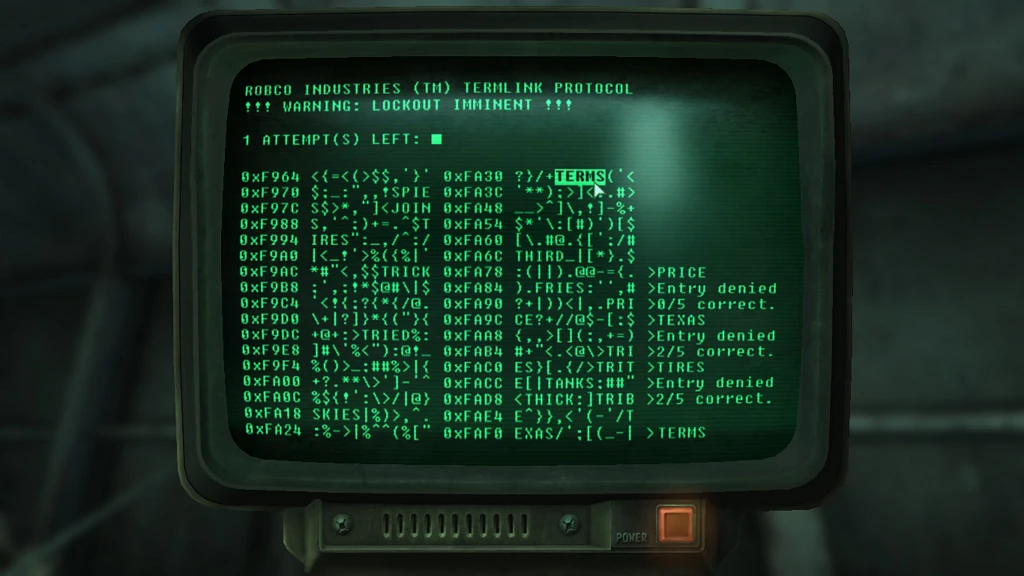
To start hacking, activate the terminal. The screen zooms in, and you see a list of random words mixed with symbols.
At the top of the screen, your remaining attempts are shown:
- Three attempts by default
- Four attempts if you collected the Science Bobblehead
Each word you select counts as one attempt. Your goal is to find the correct password using logic rather than guessing.
Understanding Hits
When you select a word, the terminal tells you how many hits you have.
A hit means that:
- A letter is correct
- And it’s in the correct position
For example, if the password is CHEATS and you select COFFEE, you receive one hit. The letter C matches and is in the same position. Letters in the wrong position don’t count. This system lets you eliminate incorrect options with each attempt.
Choosing the Right Words
On easier terminals, almost any approach works. On higher-difficulty terminals, word choice matters more.
It helps to:
- Start with words that share similar endings
- Look for common patterns like ING or ED
- Compare word roots instead of individual letters
This makes it easier to narrow down the correct password before you run out of attempts.
What Happens When You Fail?
If all attempts are exhausted, the terminal locks for a short time. After about ten seconds, you can try again. The word list and password will reset.
You can avoid the lockout by exiting the terminal before your final attempt. When you access it again, your attempts are restored immediately. This saves time and remains reliable.
Removing Wrong Passwords
The most useful hacking trick involves the symbols between the words.
Some symbol groups are enclosed by matching brackets:
- ()
- []
- {}
- <>
If a bracket pair opens and closes without containing a word, it can be selected.
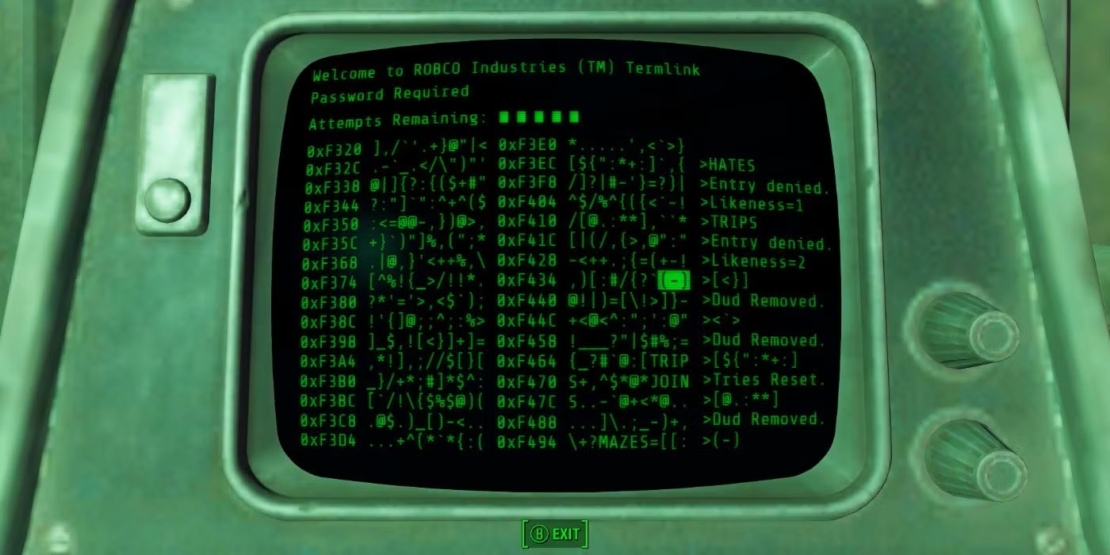
When you activate such a pair, one of two things happens:
- A wrong word is removed from the list
- Or all attempts are restored
You can’t choose which effect triggers. For this reason, it’s best to use bracket pairs after making one or two guesses.
Valid bracket pairs highlight an entire line when selected. Single symbols highlight only individually. This visual cue makes them easier to spot. Bracket pairs don’t consume attempts. You should activate every valid pair you find.
The Hacker Perk and Security Levels
Basic terminals require no perks. Advanced terminals do. To hack higher-security terminals, you need the Hacker perk, which requires at least four points in Intelligence.
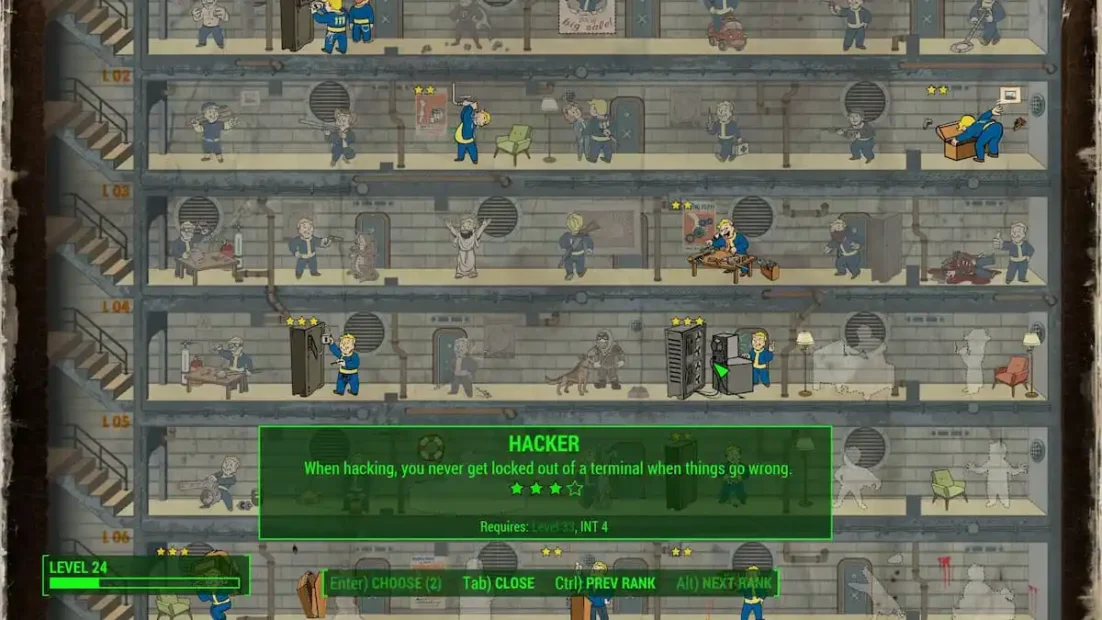
The perk levels unlock access as follows:
- Rank 1: Advanced terminals
- Rank 2 at level 9: Expert terminals
- Rank 3 at level 21: Master terminals
- Rank 4 at level 33: Terminals never lock you out
The final rank removes the risk of failure entirely.
Trapped Terminals
Some terminals are rigged with explosives. Activating them causes an immediate explosion that can be fatal if your health is low.
You can often recognize trapped terminals by:
- Damaged backs
- Exposed cables
- Unusual antennas or wiring
They are common in Raider locations. With sufficient explosives skill, these traps can be disarmed for experience points. If a terminal looks suspicious, it’s usually best to keep your distance.
Make Terminal Hacking Easier with PLITCH!
If you want to focus on exploration and story without getting stuck at terminals, PLITCH offers several helpful options for Fallout 4. You decide how much challenge you want.
For hacking in particular, these Fallout 4 codes are especially helpful:
- Terminal passwords are always right for instant access
- Instant lockpick to skip doors and safes entirely
- +1 Intelligence to unlock the Hacker perk faster
- +1 Perk point to invest directly into hacking
You can also use Invisibility or Godmode to safely explore high-security areas without pressure. PLITCH lets you customize the experience, whether you want less friction or full control.
Check out this blog and our YouTube channel to learn more about PLITCH!
Happy Gaming!
More Fallout 4 Guides:


 English
  Deutsch