Los Santos is packed with wild missions, intense shootouts, and high-speed chases, but sometimes you want more control over the chaos. With GTA 5 mods and cheats from PLITCH, you can customize your single-player experience, from unlimited health and explosive bullets to instant travel and full control over time.
Last updated: October 2026
Table of Contents
Stay Alive and Push Your Limits
GTA 5 throws you into shootouts, high-speed chases, and dangerous missions where a few bad moves can leave your character on the brink of death. Health regenerates only partially on its own, so being caught in enemy fire can quickly become a problem. Restore Health helps you recover when things get rough, while Unlimited Health and Godmode + MegaHealth help you survive longer.
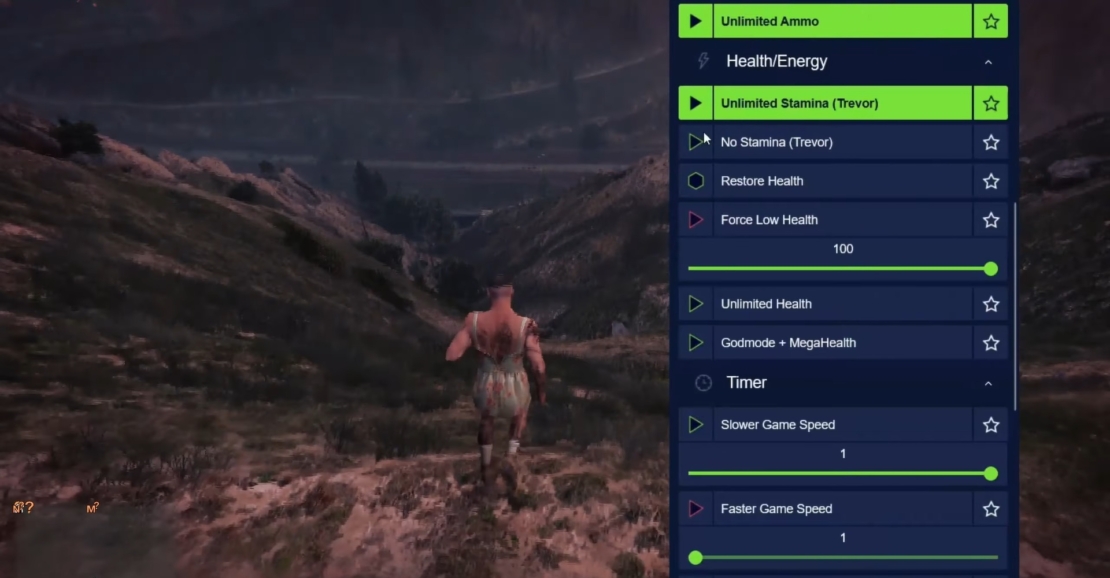
Stamina is another factor that affects how long you can sprint, swim, or cycle before getting exhausted. Trevor has a particularly low starting stamina stat, so long stretches of running or swimming can be more restrictive when playing as him. Unlimited Stamina (Trevor) removes that limitation, while No Stamina (Trevor) lets you deliberately make movement more challenging.
Customize Your Weapons and Unleash More Firepower
Shootouts in GTA 5 can get chaotic quickly, especially when enemies keep coming, and you have to reload or wait for a weapon to recharge. The Stun Gun, for example, requires a few seconds between shots, which can slow you down if you want to use it repeatedly. Faster Recharge (Stun Gun) reduces that downtime, while Slower Recharge (Stun Gun) makes things more challenging by increasing the wait.
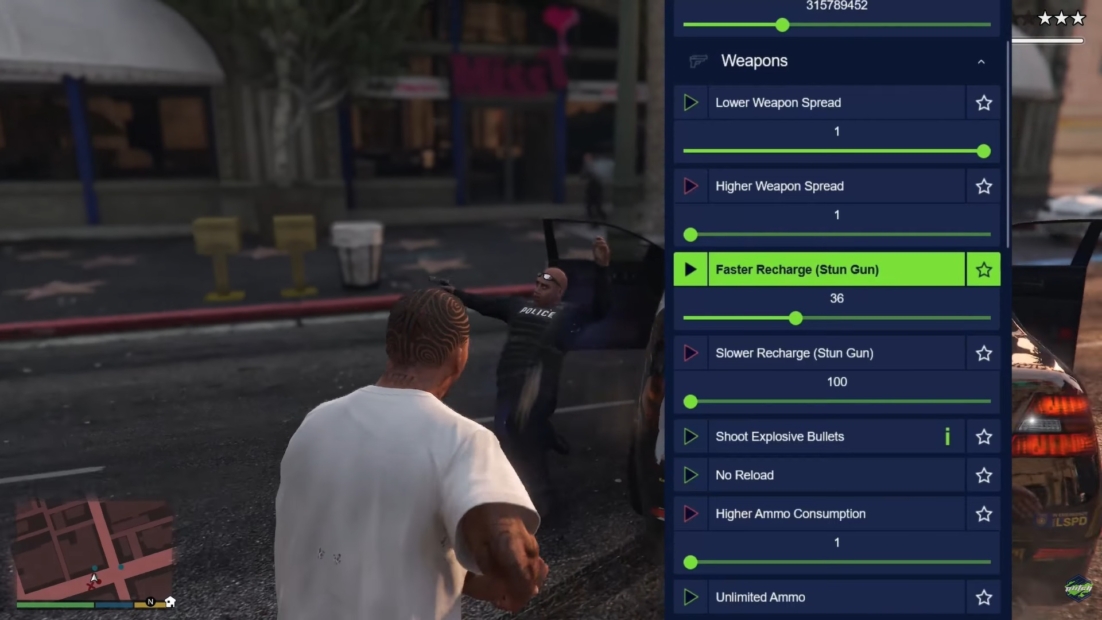
You can also adjust how your weapons behave in a firefight. Lower Weapon Spread helps you aim more precisely, while Higher Weapon Spread makes shots less predictable for a tougher challenge. Shoot Explosive Bullets adds extra destructive power to your shots, turning ordinary gunfights into bigger spectacles.
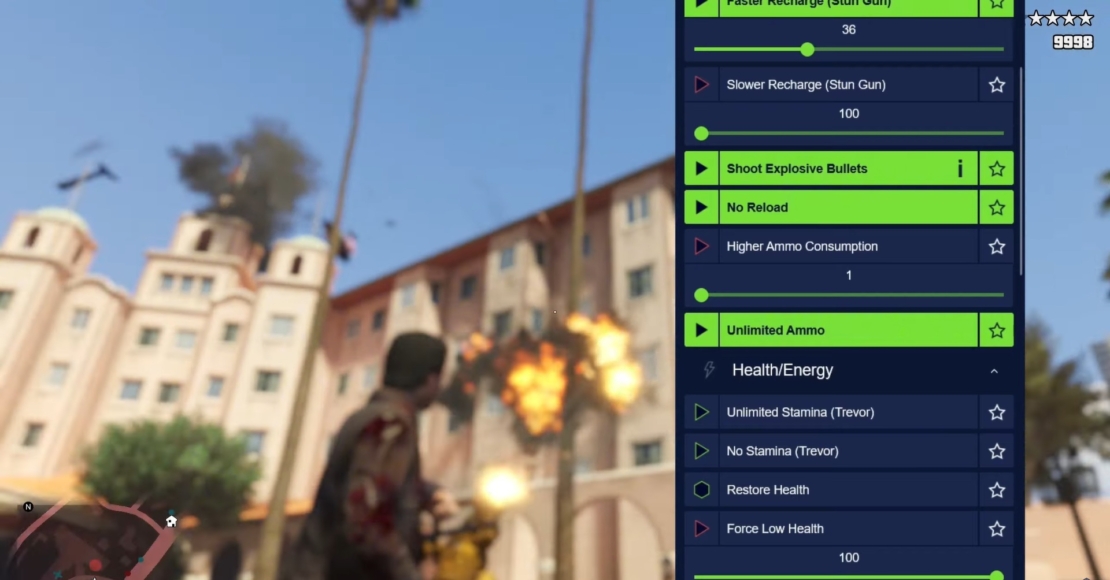
Running out of ammunition or stopping to reload can interrupt the action at the worst possible moment. No Reload lets you keep firing without the usual reload interruptions, and Unlimited Ammo ensures you have bullets when you need them. For a more demanding playthrough, Higher Ammo Consumption makes every shot count by depleting ammunition more quickly.
Get Around Los Santos in an Instant
Los Santos and Blaine County offer plenty to explore, but getting from one side of the map to the other often means long drives between missions, activities, and points of interest. GTA 5 has no built-in option to teleport directly to a map marker in Story Mode, so even when you know exactly where you want to go, you usually have to make the journey yourself.
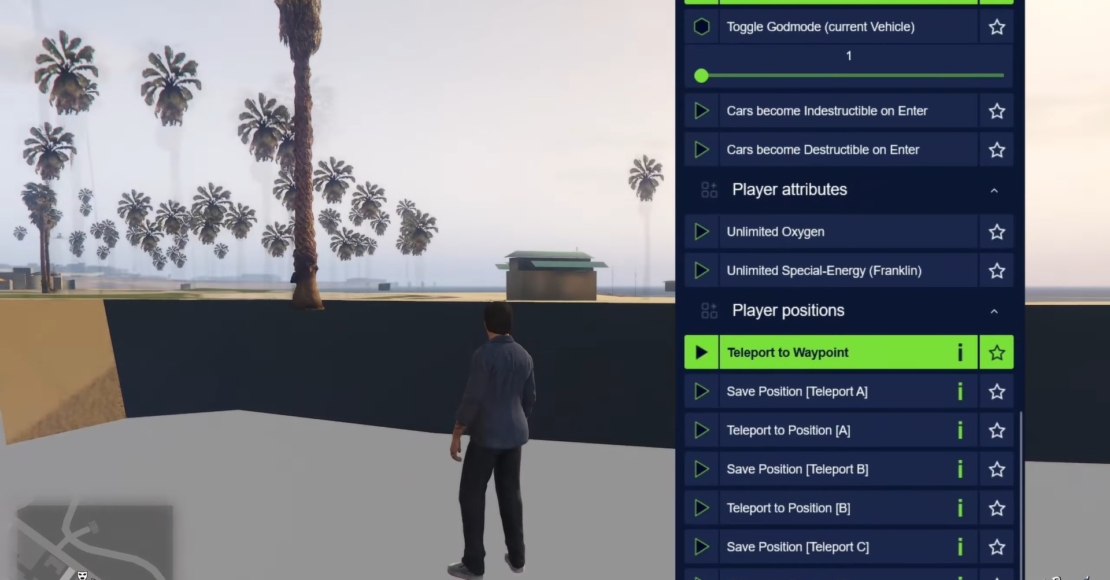
Teleport to Waypoint lets you jump straight to your selected map destination, skipping the drive and getting you back to the action faster. For locations you visit often, Save Position A/B/C lets you save three different spots. You can then use Teleport to Position A/B/C to return whenever you want.
Control Time and Set Your Own Pace
GTA 5 has a full day-and-night cycle, and the time of day can affect the atmosphere of your adventures. Maybe you want to explore the city at sunset, enjoy a nighttime drive, or keep the world in daylight while you complete activities.
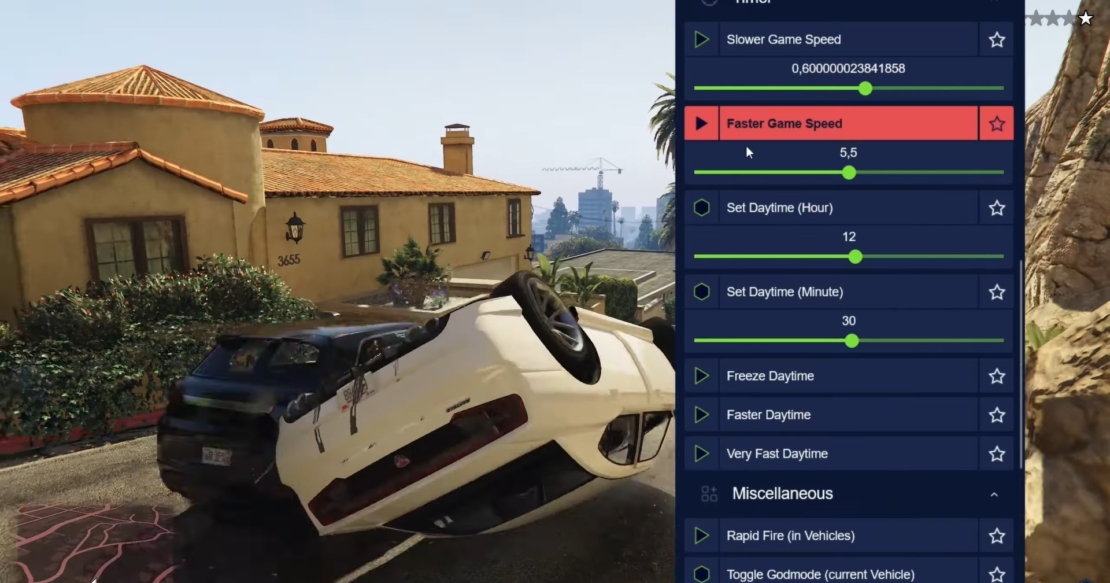
Set Daytime (Hour) and Set Daytime (Minute) let you adjust the in-game clock to a specific time, while Freeze Daytime stops the clock from advancing. This gives you control over the lighting and atmosphere, whether you want a particular time of day for exploring or prefer to keep the world exactly as it is.
You can also change the overall pace of the game. Faster Daytime and Very Fast Daytime speed up the day-and-night cycle, while Slower Game Speed and Faster Game Speed adjust the pace of gameplay itself.
Turn Every Ride Into a High-Speed Rampage
Driving is a major part of GTA 5, whether you’re evading the police, racing through Los Santos, or causing chaos on the highway. But vehicle damage can quickly ruin the fun, especially during intense chases or when you push your car too far.
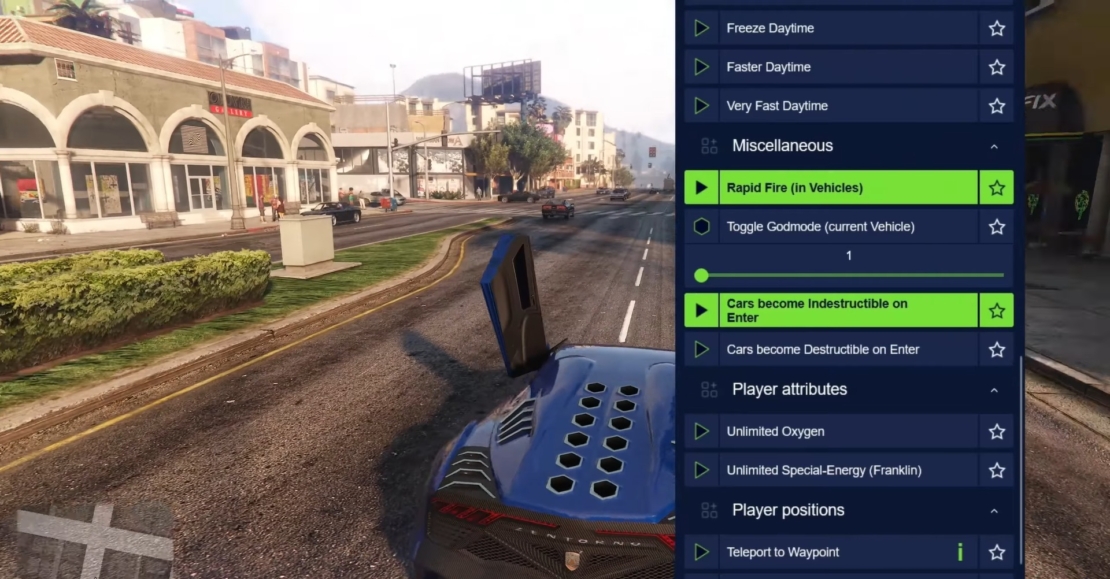
Toggle Godmode (current Vehicle) lets you protect the vehicle you’re currently using, making it easier to survive collisions and dangerous situations. Cars become Indestructible on Enter automatically protects vehicles when you get inside, while Cars become Destructible on Enter restores their vulnerability when you want crashes and damage to matter again. For even more mayhem, Rapid Fire (in Vehicles) lets you unleash shots more quickly while using vehicle weapons.
All GTA 5 Mods and Cheats from PLITCH
Customize your experience with PLITCH’s GTA 5 mods and cheats to adjust health, weapons, money, game speed, vehicle durability, and more. Here’s the full list of currently available cheats:
Money/Resources
- Set Money (Michael)
- Set Money (Franklin)
- Set Money (Trevor)
Weapons
- Faster Recharge (Stun Gun)
- Slower Recharge (Stun Gun)
- Lower Weapon Spread
- Higher Weapon Spread
- Shoot Explosive Bullets
- No Reload
- Higher Ammo Consumption
- Unlimited Ammo
Health/Energy
- Unlimited Stamina (Trevor)
- No Stamina (Trevor)
- Restore Health
- Force Low Health
- Unlimited Health
- Godmode + MegaHealth
Player Attributes
- Unlimited Oxygen
- Unlimited Special-Energy (Franklin)
Timer
- Slower Game Speed
- Set Daytime (Hour)
- Set Daytime (Minute)
- Freeze Daytime
- Faster Daytime
- Very Fast Daytime
- Faster Game Speed
Player Positions
- Teleport to Waypoint
- Save Position [Teleport A]
- Teleport to Position [A]
- Save Position [Teleport B]
- Teleport to Position [B]
- Save Position [Teleport C]
- Teleport to Position [C]
Miscellaneous
- Rapid Fire (in Vehicles)
- Toggle Godmode (current Vehicle)
- Cars become Indestructible on Enter
- Cars become Destructible on Enter
FAQ: GTA 5 Mods & Cheats with PLITCH
PLITCH is a PC game trainer that lets you customize your single-player experience with cheats and mods. It supports more than 5,800 games and lets you adjust difficulty, skip repetitive tasks, or experiment with new ways to play.
Yes, PLITCH is developed in Germany, GDPR-compliant, and Sectigo-certified. Its cheats modify values in your PC’s memory while the game is running rather than permanently changing core game files. PLITCH is designed for single-player games and doesn’t support multiplayer cheating.
Yes! PLITCH offers a free membership that includes access to all free cheats, along with features like the Cheat Slider, Favorites, the Windows Game Bar overlay, and the mobile companion app. A Premium membership unlocks the full cheat library and various other features.
Absolutely. Teleport to Waypoint lets you travel directly to your selected map marker, while the Save Position and Teleport to Position cheats let you store and revisit three locations. These are useful for skipping long drives and getting back to your favorite spots quickly.
You can use Restore Health to recover when you’re low on health, or activate Unlimited Health and Godmode + MegaHealth to make surviving shootouts much easier. Unlimited Ammo and No Reload also help you stay in the action without worrying about running out of bullets or having to stop to reload.
Yes. Set Daytime (Hour) and Set Daytime (Minute) let you choose the time in Los Santos, while Freeze Daytime prevents the clock from advancing. You can also speed up or slow down the day-and-night cycle to create the atmosphere you want.
You can make combat more explosive by enabling Shoot Explosive Bullets, adjusting weapon spread, or changing how quickly the Stun Gun recharges. For vehicles, Cars become Indestructible on Enter protects your car from damage, while Cars become Destructible on Enter lets you switch back to normal vehicle damage.
Read more about PLITCH:
 English
  Deutsch