Not every game gets the difficulty right for every player. Sometimes “Easy” is still too demanding, while “Hard” barely scratches the itch for experienced players. And some games don’t offer meaningful difficulty options at all. That’s where cheats can give you something the settings menu can’t: precise control over individual gameplay mechanics.
Quick Answer: Cheats let you adjust specific aspects of a game, such as player health, enemy speed, damage, resources, or movement, rather than forcing you into a fixed Easy, Normal, or Hard mode. PLITCH is the leading game trainer software to customize game difficulty using cheats. It supports 5,800+ single-player PC games and offers 80,000+ cheats, including dedicated Hardcore Cheats designed to make supported games more challenging.
Last updated: September 2026
Table of Contents
Why Difficulty Options Matter
“Easy,” “Normal,” and “Hard” sound straightforward, but difficulty isn’t the same for everyone. A challenge that feels exciting to one player can be frustrating or even inaccessible to another. Difficulty stems from the interaction between a player’s abilities and the barriers a game creates, so a single difficulty setting can’t work for everyone.
The problem is that many games offer very broad difficulty settings. You might want combat to be easier while keeping puzzles challenging. Maybe you enjoy managing resources but hate having to farm them repeatedly. Or perhaps the standard Hard mode is still nowhere near hard enough.
That’s where custom difficulty becomes interesting. Instead of changing the entire game, you can adjust the specific mechanics that determine how challenging it feels.
When the Game’s Difficulty Settings Aren’t Enough
Built-in difficulty modes are usually based on a few broad variables. An Easy mode might reduce enemy damage and increase your health, while Hard mode does the opposite. That works well for many players, but it doesn’t give you much control.
Cheats can offer a more granular option. Depending on the game, you could:
- Reduce your maximum health without changing enemy behavior
- Make enemies faster or stronger
- Slow down your own movement
- Limit your resources
- Remove healing options
- Increase enemy damage
- Restrict equipment or ammunition
- Give yourself unlimited stamina while making enemies tougher
- Combine several modifiers to create a completely custom challenge
This is especially useful when you like most of a game’s difficulty but dislike a specific mechanic. For example, maybe a boss is fun, but the journey back to the arena is tedious. You could use a movement speed modifier to get back into the action faster without making the fight itself easier.
Make Easy Games More Challenging
Cheats aren’t only about making games easier. In fact, one of the more unusual uses of game trainers is to make games harder.
PLITCH offers dedicated Hardcore Cheats for supported games that can modify difficulty in ways the original game may not provide. These can include reduced health, faster enemies, slower movement, or other restrictions. This opens up plenty of possibilities for self-imposed challenges.
Mixed Difficulty
You don’t have to choose between “easy” and “hard.” You can combine an easier cheat with a Hardcore Cheat. For example, give yourself unlimited stamina while making enemies move faster. Or remove equipment weight restrictions while lowering your maximum health. The result is a challenge tailored to what you personally find fun.
Example: ELDEN RING
Take ELDEN RING. Its difficulty is already a major part of the experience, but that doesn’t mean every player wants the exact same challenge.
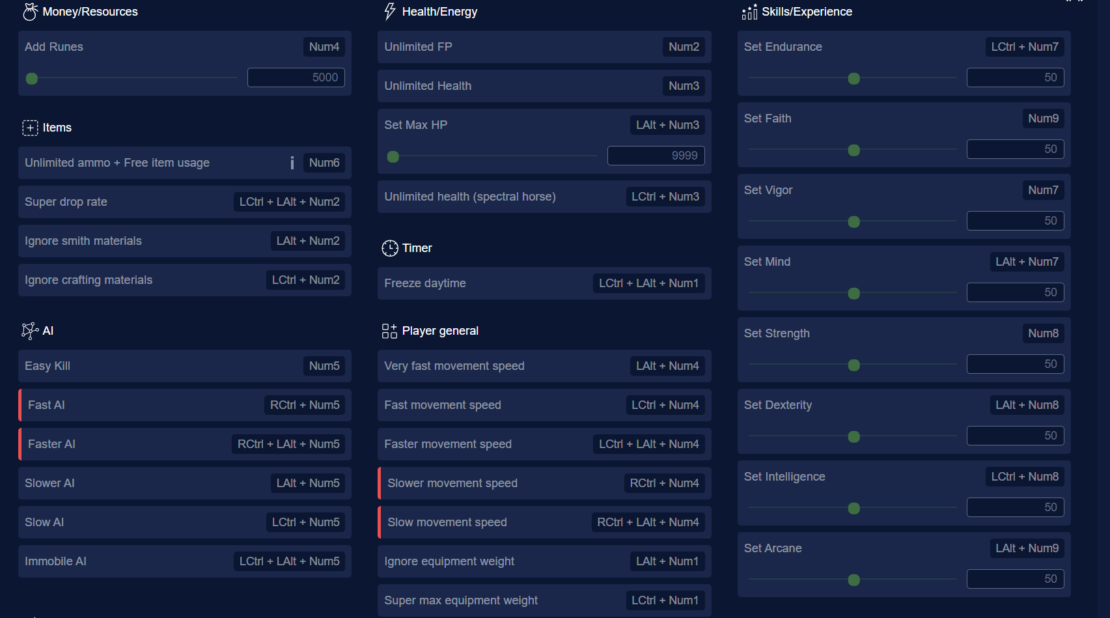
With PLITCH, you can use modifiers such as:
- Slower Movement Speed
- Faster AI
- Set Max HP
- Unlimited Stamina
- Unlimited FP
- Unlimited Health
- Ignore Equipment Weight
- Add Runes
- Super Max Equipment Weight
That means you can create your own ruleset. Want a brutal challenge? Reduce your movement speed and make the AI faster. Want to practice a specific build without spending hours gathering resources? Add Runes and adjust your stats. You can even mix both sides. Unlimited stamina + faster enemies + reduced health creates a very different experience from simply selecting a higher difficulty.
Difficulty Customization Can Also Improve Accessibility
Custom difficulty isn’t only useful for hardcore players. It can work in the opposite direction, too. Some players struggle with fast reaction requirements, precise aiming, button combinations, or other mechanics that aren’t necessarily the part of the game they want to challenge themselves with. A game trainer can sometimes help reduce those barriers.
Depending on the game, cheats such as Unlimited Health, Unlimited Ammo, slower enemies, movement adjustments, or other gameplay modifiers can give you more time to react or make aiming and combat less demanding.
This is one reason customizable difficulty can be more useful than a simple Easy mode. You can adjust the specific mechanic causing the problem without necessarily removing the challenge from the rest of the game.
PLITCH: A Difficulty Tool, Not Just a Cheat Tool
PLITCH is a single-player PC game trainer that lets you temporarily adjust in-game values while you play. The software accesses your PC’s RAM rather than modifying the game’s core files, and cheats can be toggled on and off while you play. That makes it possible to treat cheats almost like additional difficulty settings.
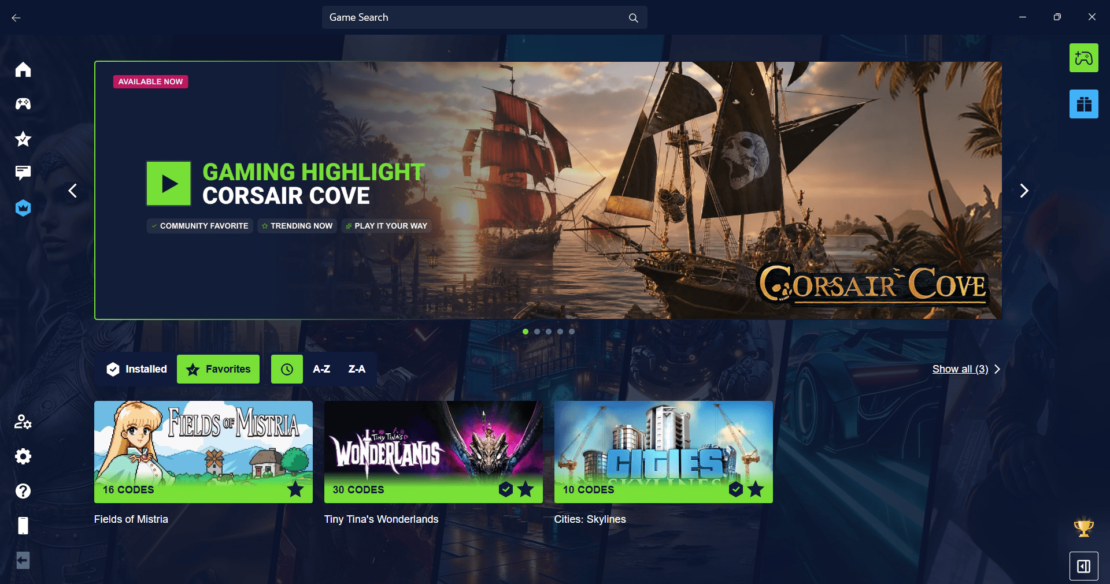
You can:
- Make a game easier when a mechanic becomes frustrating
- Increase the challenge when the standard difficulty is too easy
- Change individual mechanics instead of the entire difficulty level
- Create personal challenge runs
- Combine regular cheats with Hardcore Cheats
- Turn individual modifiers on or off whenever you want
- Experiment with unusual combinations on a second or third playthrough
And you don’t need to download a separate trainer for every game. PLITCH brings its trainer library into a single client and detects supported games on platforms such as Steam, Epic Games Store, GOG, and EA. With 5,800+ supported PC games and 80,000+ cheats, there’s a good chance your current game is covered. More than 700 games are available for free, while Premium unlocks the complete cheat library.
PLITCH is also designed exclusively for single-player games. It’s made in Germany, GDPR-compliant, and Sectigo-certified, and it currently has an Excellent 4.6 TrustScore on Trustpilot (as of September 2026).
FAQ – The Most Important Questions
Yes. Cheats can let you adjust individual parts of a game that its built-in difficulty settings don’t cover. You can increase your health, change damage values, adjust enemy strength, modify movement speed, or give yourself more resources, depending on the game and the available cheats.
Standard Easy, Normal, and Hard settings do not always suit every player. You might want easier combat while keeping puzzles challenging, or you might find a game too easy and want to increase the difficulty yourself. Cheats give you more control over individual mechanics rather than changing the entire game at once.
Yes. Game trainers aren’t only useful for making games easier. With the right cheats, you can reduce your health, increase enemy strength, slow your movement, limit resources, or impose other restrictions. PLITCH also offers Hardcore Cheats for supported games, enabling you to create your own custom challenges.
They can. Some players may struggle with fast reaction times, precise aiming, complex controls, or other mechanics that make a game unnecessarily difficult. Adjusting specific elements, such as health, damage, ammunition, stamina, or enemy strength, can reduce a specific barrier while keeping the rest of the game challenging.
Yes. PLITCH is designed for single-player games and works by modifying temporary values in the game’s memory rather than altering game files. It’s also GDPR-compliant, Sectigo-certified, and made in Germany.
PLITCH uses a freemium model. More than 700 games can be played with completely free cheats, while additional cheats and features are available with Premium. Free features also include tools such as the Cheat Slider, Favorites, the Windows overlay, and the mobile companion app.
The Best Difficulty Setting Is the One You Actually Enjoy
Difficulty doesn’t have to be a choice between Easy and Hard. A game can be challenging in one area and relaxing in another, and your ideal balance can shift with your mood, experience, or available time.
That’s the real advantage of using cheats for difficulty customization. With PLITCH, you decide which parts of the game should challenge you and which shouldn’t. Your Game. No Limits.
Read more about PLITCH:
- 25 Special PLITCH Cheats and Mods to Transform Your Favorite Games
- PLITCH vs WeMod/Wand: Which PC Cheat Tool Is Better?
- Enjoy Your Games Without Limits With PLITCH!
- The Ultimate Guide to PC Game Trainers
- PLITCH, Accessibility, and the Power of Cheats
- Brainwave Studies Show That Cheats Make Games More Fun


 English
  Deutsch