Cheats aren’t just for breaking games or making every encounter effortless. They can help you get past frustrating bosses, skip repetitive grinding, experiment with different builds, or tailor a game to your playstyle. If you’ve never used a game trainer, getting started is easier than you might think. Here’s everything you need to know.
Quick Answer: The easiest way to use cheats in single-player games is through PLITCH. It brings together more than 81,000 cheats for over 5,800 PC games in a single Windows client. You don’t need to edit game files or search for values in memory. Simply select the cheats you want and customize your experience.
Last updated: October 2026
Table of Contents
What Are Game Cheats and Trainers?
If you’re new to game cheats, you might picture old console cheat codes or secret button combinations. PC game trainers work a little differently. They are programs that let you modify specific aspects of a game while it is running, such as your character’s health, money, experience points, or inventory.
A trainer typically provides ready-made options for a particular game. Instead of figuring out how to change a value yourself, you can activate a cheat that’s already been prepared. PLITCH, for example, provides game-specific cheats through a single client, so you don’t need to find a separate trainer for every title you play.
Why Use Cheats in Single Player Games?
There’s no single reason to use cheats, and you don’t need to be stuck on a difficult boss to benefit from them. Sometimes you want to spend less time on repetitive tasks. Other times, you might want to explore a game without restrictions or try something that would normally take dozens of hours to unlock.
Here are some common reasons players use game trainers:
- Skip repetitive grinding: Add money, XP, or crafting materials instead of repeating the same activities for hours on end.
- Get past frustrating encounters: Use health or damage cheats when a boss or combat section becomes more frustrating than enjoyable.
- Make the most of your time: Spend more of your gaming session exploring, progressing through the story, or testing new builds.
- Customize difficulty: Adjust individual mechanics instead of switching the entire game to Easy mode.
- Experiment freely: Test equipment, abilities, and character builds without having to unlock everything through normal progression.
- Try new challenges: Use cheats that make the game harder or combine different modifiers to create your own rules.
These uses reflect a common sentiment among players who discuss game trainers: many don’t want to remove every challenge, but they do want more control over how much time they spend on repetitive mechanics.
PLITCH: An Easy Starting Point for Game Cheats
If you’re new to game trainers, you probably don’t want to spend time searching for separate downloads, deciphering technical instructions, or manually changing game values. PLITCH brings game-specific cheats together in a single Windows client, making it easier to get started.
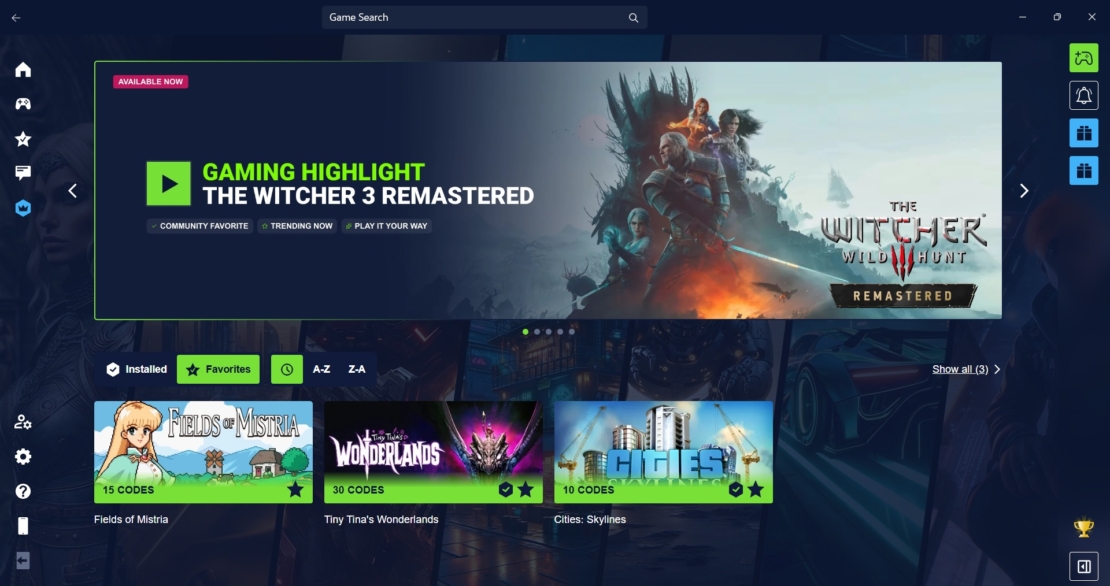
With support for more than 5,800 PC games and over 81,000 cheats, you can customize everything from health and stamina to money, experience, resources, movement, and combat. The client detects supported games on platforms such as Steam, Epic Games Store, GOG, and EA, and you can activate supported cheats via custom hotkeys, the Windows overlay, or the free Android and iOS companion app.
The best part for beginners is that you don’t need to understand the technical details of every cheat. Find your game, check the available options, and start with the changes that make sense for you.
How to Use Cheats in a Single-Player PC Game
Step 1: Check Whether Your Game Is Supported
First, check whether a trainer is available for the game you want to play. Not every game supports every type of cheat, and the available options can vary considerably between titles. With PLITCH, you can search for your game in the client or browse the supported games on the PLITCH website.
Step 2: Install and Open PLITCH
Download PLITCH from its official website and install the Windows client. Once you’ve opened the client, search for the game you want to customize, then select its trainer. PLITCH organizes available cheats into categories, making it easier to find options for health, resources, movement, or character progression.
Step 3: Launch Your Game
Once you’ve selected your game and trainer, start the game and follow the instructions shown in PLITCH for that title. The exact activation process can vary by game and the available trainer options. Make sure you’re running a supported version of the game. Updates and patches can change how a game works internally, so a trainer may need an update before every cheat works correctly with a new version.
Step 4: Choose and Activate Your Cheats
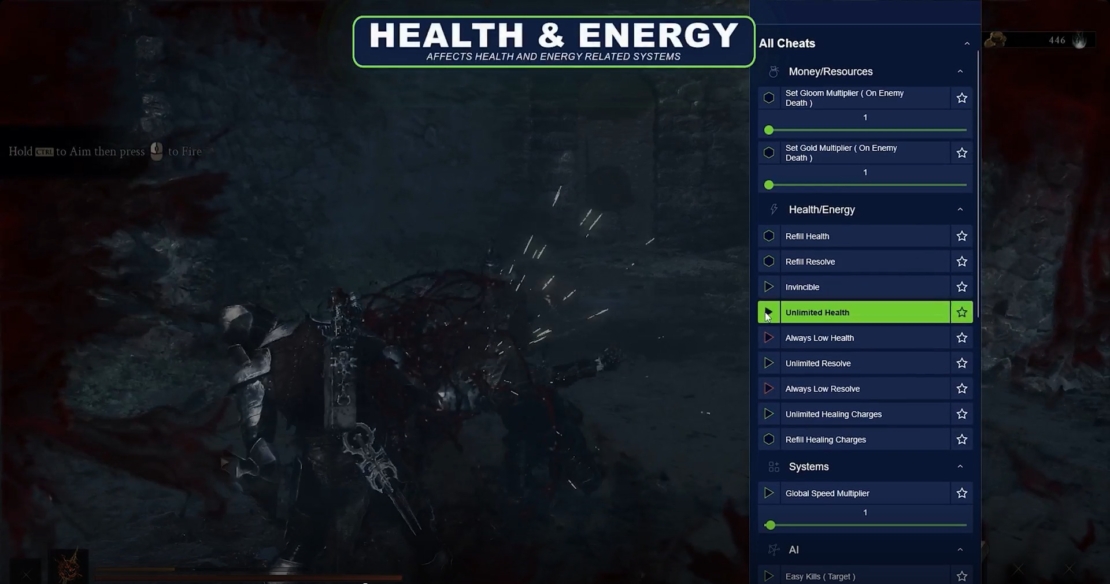
Now comes the interesting part: deciding what you want to change. You can activate individual cheats in the PLITCH client via the available controls and custom hotkeys. The free Windows overlay and mobile companion app also offer convenient access to supported features while you’re in-game.
Beginner tip: Start with one or two cheats rather than activating everything at once. This makes it easier to see what each option does and helps you preserve the parts of the game you still enjoy.
Step 5: Adjust Your Cheats as You Play
You don’t have to keep cheats active for your entire playthrough. Depending on the game and the specific cheat, you can turn individual options on or off as needed. You might use unlimited stamina while exploring, disable it before a difficult fight, and add resources when you want to focus on building. This approach gives you more control over your experience without removing every challenge.
Which Cheats Should Beginners Try First?
With thousands of options across different games, it’s easy to wonder where to start. The best choice depends on what you want to change, but a few types of cheats are especially straightforward to understand.
Health and Survival
Unlimited health, stamina, or mana can make a game more forgiving as you learn its mechanics. These cheats are useful if you’re struggling with survival systems, frequent deaths, or resource management in combat. You don’t necessarily have to activate all of them. Unlimited stamina might be enough to make exploration more enjoyable while keeping the actual fights challenging.
Money, XP, and Resources
Progression cheats can save you time when you’re tired of farming or want to experiment with equipment and abilities. Money cheats let you purchase upgrades, while XP and skill-point cheats help you try different builds.
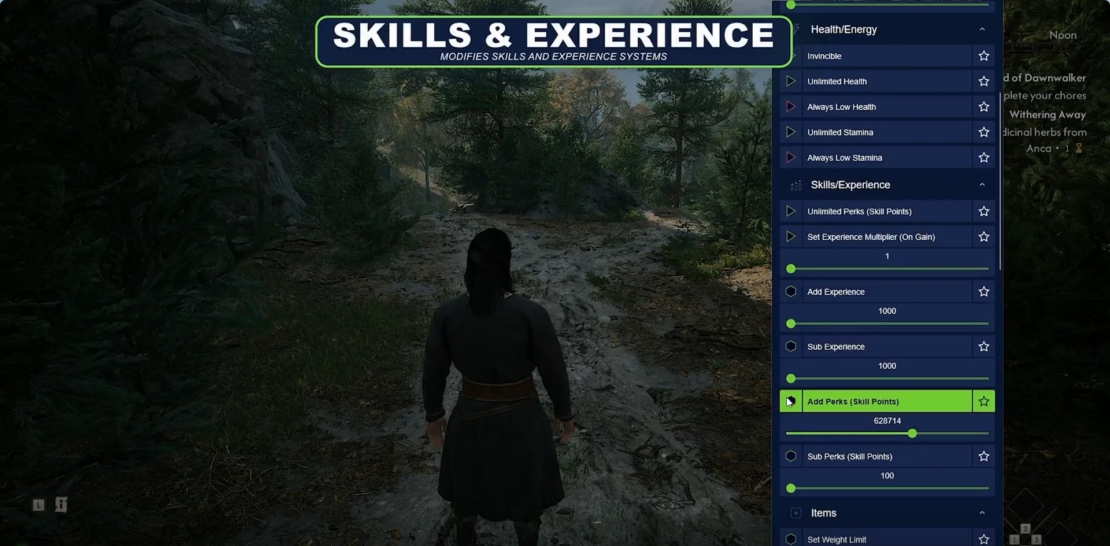
Resource cheats are especially useful in survival and crafting games. These are good starting points if you want to reduce grinding without changing how combat works.
Movement and Teleportation
Movement cheats can make large game worlds easier to navigate.
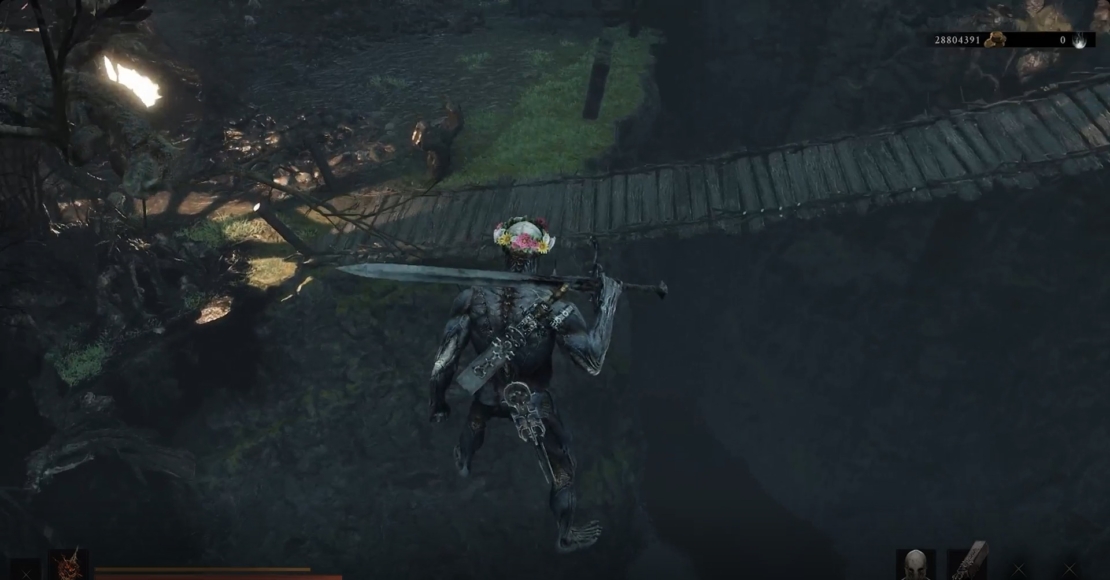
Increased movement speed reduces travel time, and teleportation options in supported games can help you return to familiar locations without retracing the same path.
Damage and Combat
Unlimited ammunition, increased damage, and similar cheats can help you get past difficult encounters. They can also make it easier to test weapons or abilities without worrying about running out of resources.
Hardcore Cheats
Cheats aren’t always about making things easier. PLITCH also offers Hardcore Cheats for supported games, letting you increase the difficulty with modifiers like reduced health, faster enemies, or restrictions on your character. These options are worth exploring once you’re comfortable with the basics. You can use them to create new challenges, give familiar games a fresh twist, or combine easier and harder modifiers to suit your preferences.
Is It Safe to Use Cheats in Single Player Games?
It’s understandable to be cautious about downloading software that interacts with your games. You might worry about malware, antivirus warnings, corrupted save files, or whether using cheats could get your account banned.
The first rule is to download trainers from their official websites rather than from unfamiliar download sites. Unofficial downloads can be outdated or bundled with unwanted software, so it’s worth checking the source before installing anything.
PLITCH is one of the safest options. It’s developed in Germany, GDPR-compliant, and Sectigo-certified. Our trainers adjust temporary values in your PC’s RAM rather than permanently modifying the game’s installation files.
It’s also worth remembering that antivirus software can sometimes flag programs that interact with running applications. If you see a warning, don’t automatically disable your protection. Verify the download source and review the software’s official support information before deciding what to do.
Can You Use Cheats in Multiplayer Games?
PLITCH is designed exclusively for single-player PC games and doesn’t provide cheats for multiplayer gameplay. This distinction matters because altering your single-player experience doesn’t affect another player’s match. Using unauthorized cheats in online games can violate the game’s rules, compromise fair play, and result in account penalties. Always respect the rules of the game and the platform you’re using.
FAQ
PLITCH is a PC game trainer that lets you tailor your single-player experience with cheats and mods.
Yes. PLITCH is developed in Germany, GDPR-compliant, and Sectigo-certified. It’s designed for single-player games and doesn’t provide cheats for multiplayer or competitive gameplay.
No. A dedicated trainer like PLITCH provides ready-made cheats for supported games, so you don’t need to edit code or manually search for values in the game’s memory. You can select the cheats you want and activate them with the available controls.
The game version, an update, the selected trainer, or how a particular mechanic works can affect whether a cheat functions correctly. Check that you’re using the trainer for the correct game and version, follow its activation instructions, and consult the official support information if the problem persists.
No. PLITCH uses a freemium model. More than 700 games offer completely free cheats, and additional cheats and features are available with Premium. You can check the available options for your game to see what’s included.
Yes. PLITCH supports many PC games on platforms including Steam, Epic Games Store, GOG, and EA. However, support varies by game, so check whether your specific title is included.
Start Playing Your Way
Using cheats for the first time doesn’t have to be complicated. Start with a game you know, choose one or two options that address a specific problem, and see how they affect your experience. You can always adjust your approach as you become more familiar with the available cheats.
You don’t have to choose between playing a game exactly as designed and removing every challenge. Maybe you want to skip repetitive grinding while keeping difficult boss fights, or experiment with different builds without spending hours unlocking them. With a game trainer like PLITCH, you can decide which parts of your single-player adventure to customize and which to leave untouched.
Your Game. No Limits.
Read more about PLITCH:


 English
  Deutsch