Game trainers have become increasingly popular among PC gamers who want to customize their single-player experience. Whether you’re looking to skip repetitive grinding, defeat a difficult boss, or simply experiment with different playstyles, a trainer gives you more control over how you play.
However, many players still have the same questions before downloading one: Are game trainers safe? Can they contain viruses? Are they legal? And can they get you banned?
Quick Answer: Reputable PC game trainers are generally safe to use with single-player games. The biggest risks stem from downloading trainers from unknown websites, not from the trainers themselves. For example, PLITCH is based in Germany, GDPR-compliant, Sectigo-certified, and supports 5,700+ games, making it one of the safest and most trusted trainer platforms available.
Last updated: July 2026
Table of Contents
Why Some Players Don’t Trust Game Trainers
The hesitation is understandable. A game trainer is software that interacts with a running game, modifying certain values in your computer’s memory while you play. This allows it to activate cheats such as unlimited health, infinite money, or faster experience gain.
A trainer typically needs to:
- Detect when a game is running
- Read values from memory
- Modify temporary in-game values
- Listen for hotkeys or user input
Because trainers monitor running programs and modify values in memory, they behave similarly to certain types of malware from a technical standpoint. As a result, antivirus software may occasionally flag them even when they are completely harmless.
These are known as false positives. A false positive occurs when your antivirus mistakenly flags legitimate software as dangerous. This can happen with many advanced utilities, not just game trainers, because security software is intentionally cautious when it detects programs interacting with other applications.
Can Game Trainers Give You a Virus?
They can, but not because game trainers are inherently dangerous. The real risk comes from where you download them.
Many unofficial websites claim to offer trainers but instead bundle them with malware, unwanted software, or fake installers. That’s why it’s important to download trainers only from reputable companies with an established track record.
A trustworthy trainer provider should offer:
- A secure, official download
- Regular software updates
- Transparent company information
- Positive user reviews
- Security certifications
- Responsive customer support
If you can’t verify who created the software, it’s better not to install it.
Are Game Trainers Legal?
In most cases, yes. Using a trainer in a single-player game is generally legal because you’re only modifying your own gameplay experience. You’re not distributing copyrighted content, altering the game’s files, or affecting other players.
Things are very different in multiplayer games. Using cheats in online games can violate the game’s Terms of Service and often result in permanent account bans. It also creates an unfair experience for other players. That’s why reputable trainer providers focus exclusively on single-player games.
Can You Get Banned?
Not when you’re using a trainer as intended. With PLITCH, cheats only work in supported single-player games. Multiplayer titles are intentionally excluded, so there’s no risk of an online ban from PLITCH. The software is designed specifically for players who want to customize their offline gaming experience without affecting anyone else.
Why PLITCH Is a Trusted Choice
If you’re looking for a safe trainer, trust is about much more than the cheats themselves. PLITCH has built its reputation on security, transparency, and reliability.
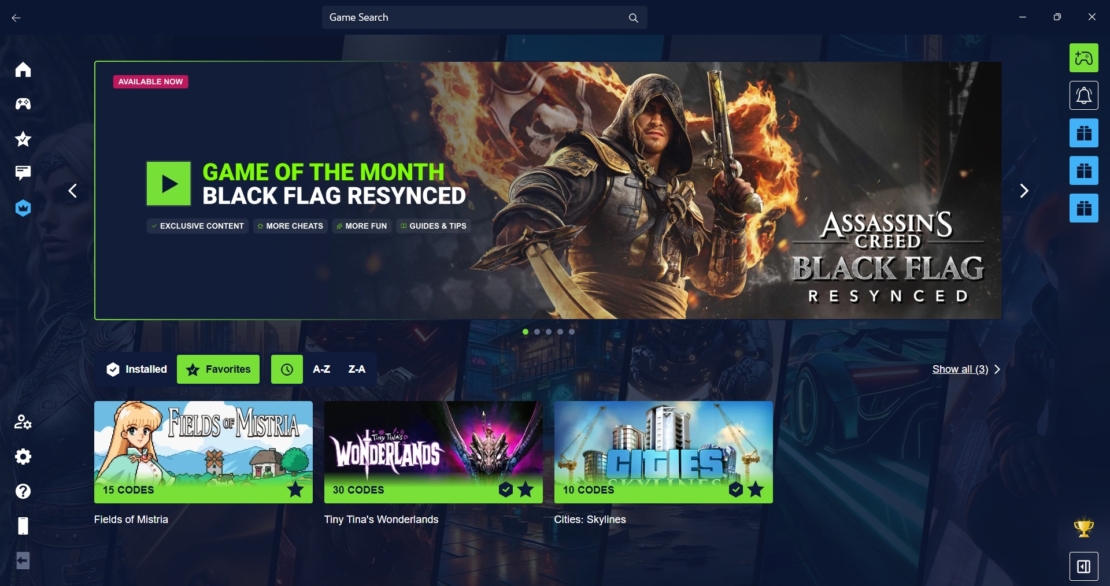
Some of the reasons players trust PLITCH include:
- Made in Germany
- GDPR-compliant, adhering to some of the world’s strictest privacy regulations
- Sectigo-certified
- Trusted by major antivirus providers
- No modification of your game’s files
- Cheats work by adjusting temporary values in your PC’s RAM
- Exclusive focus on single-player games
- More than 5,700 supported games
- Over 79,500 cheats
- Excellent 4.6 Trustpilot rating (July 2026)
Unlike many unofficial trainers found on random download sites, PLITCH is developed as a professional software platform with regular updates, dedicated customer support, and strong security standards.
Do Game Trainers Change Your Save Files?
Most reputable trainers don’t. PLITCH works by modifying temporary values in your computer’s memory while the game is running. It doesn’t overwrite or permanently edit the game’s files. As a result, your saves and game installation remain untouched, and you can enable or disable cheats whenever you like.
Game Trainer FAQ
Yes, game trainers are generally legal when used in single-player games. They let you customize your gaming experience without modifying copyrighted game files or affecting other players. However, using cheats in multiplayer games often violates a game’s Terms of Service and can result in account bans.
PLITCH is the leading trainer software for single-player PC games, letting you customize your gameplay with cheats and quality-of-life features. Depending on the game, you can activate options such as unlimited health, extra money, faster experience gain, or even hardcore cheats that make games more difficult. PLITCH supports more than 5,700 games and is compatible with platforms including Steam, Epic Games Store, GOG, and EA.
Yes. PLITCH offers a true freemium experience. More than 700 games are available for free, and features such as the Windows overlay, mobile app, Cheat Slider, and Favorites are included at no cost. Upgrading to Premium unlocks the full cheat library and additional features, but the free version already offers plenty of ways to enhance your gaming sessions.
Some antivirus programs may flag trainers because they interact with running games and modify values in memory, behavior that can resemble certain types of malware. These detections are often false positives rather than evidence of a real virus. Downloading trainers from trusted providers with established security standards is the best way to stay safe.
No. PLITCH doesn’t modify your game’s installation files. Instead, it changes temporary values in your computer’s memory while the game is running. Your save files remain intact, and you can enable or disable cheats at any time.
Yes. PLITCH offers a genuine freemium model. More than 700 games are available for free, and features such as the Windows overlay, mobile companion app, Cheat Slider, and Favorites are available without a subscription. A Premium membership unlocks the full cheat library and additional features, but you can start using PLITCH without paying.
Final Thoughts
Game trainers aren’t inherently unsafe. The biggest risk isn’t using a trainer but downloading one from an untrustworthy source. As long as you choose a reputable provider, use trainers only in supported single-player games, and avoid unofficial downloads, they’re a safe way to customize your gaming experience.
PLITCH is a great example of what to look for in a trusted trainer platform. With its German development, GDPR compliance, Sectigo certification, focus on single-player games, and support for more than 5,700 PC games, it offers a secure way to enjoy games on your own terms. Your Game. No Limits.
Read more about PLITCH:
- 25 Special PLITCH Cheats and Mods to Transform Your Favorite Games
- PLITCH vs WeMod/Wand: Which PC Cheat Tool Is Better?
- Change the Way You Play with PLITCH!
- Game Trainer 101: Fair, Fun, and Flexible
- PLITCH, Accessibility, and the Power of Cheats
- Brainwave Studies Show That Cheats Make Games More Fun


 English
  Deutsch