Survival in StarRupture is all about managing your stats. Health, Shield, Stamina, and resources determine how far you can push each run. This StarRupture Stats Guide breaks down every core survival stat you need to understand on Arcadia 7. Master these systems, and you’ll explore longer, die less often, and progress much faster.
Table of Contents
Shield
In StarRupture, your Shield is your first line of defense. It appears as the blue bar above your Health and always absorbs damage before your Health takes any. Enemy attacks and environmental hazards drain it first, giving you a buffer in dangerous situations.
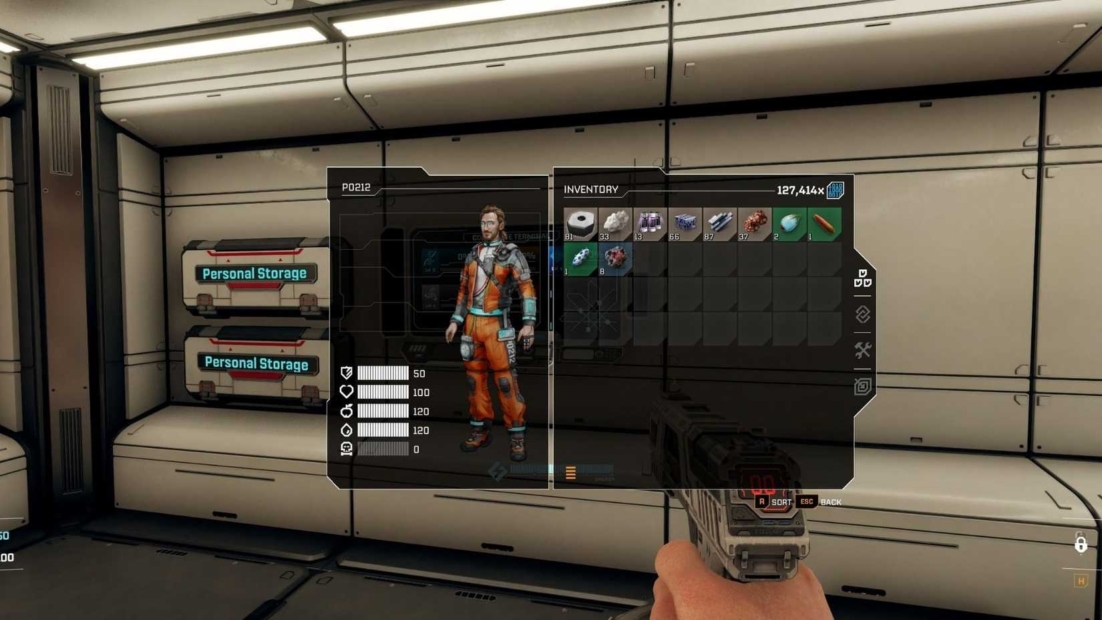
The Shield regenerates automatically if you avoid damage for a short time. You don’t need items or abilities to trigger this. As long as enemies stop hitting you, the bar slowly refills on its own.
What makes the Shield important:
- Protects your Health from direct damage
- Regenerates passively without resource costs
- Allows longer exploration without healing items
- Maximum capacity increases through permanent upgrades
Practical tips:
- Fall back briefly when your Shield breaks to let it recharge
- Use cover to regenerate safely between enemy waves
- Save healing items if only your Shield was depleted
There are no temporary boosts for the Shield. If it feels weak, progression upgrades are the only way to improve it long-term.
Health
In StarRupture, Health is the red bar below your Shield. If it ever drops to zero, you die and respawn at your Regeneration Chamber. Your gear remains equipped, but everything you were carrying is left on your corpse. To recover it, you must return and loot your own body. Unlike the Shield, Health doesn’t regenerate on its own. Once it’s gone, it stays gone until you actively restore it.
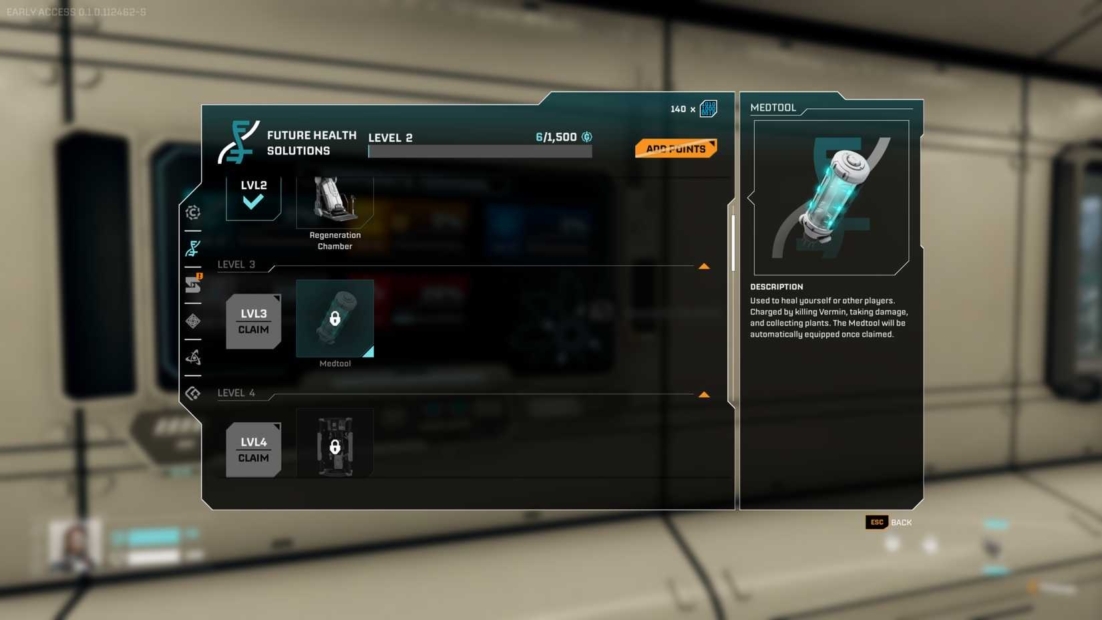
How to restore Health:
- Use the Medtool, your most reliable healing option
- Unlock Medtool healing bonuses by defeating enemies
- Consume food items made with Star Tears for instant HP and buffs
Calories
In StarRupture, Calories represent your food reserves. This bar depletes over time, regardless of what you’re doing on Arcadia 7. Mining, building, walking, or standing still all consume Calories at the same steady pace.
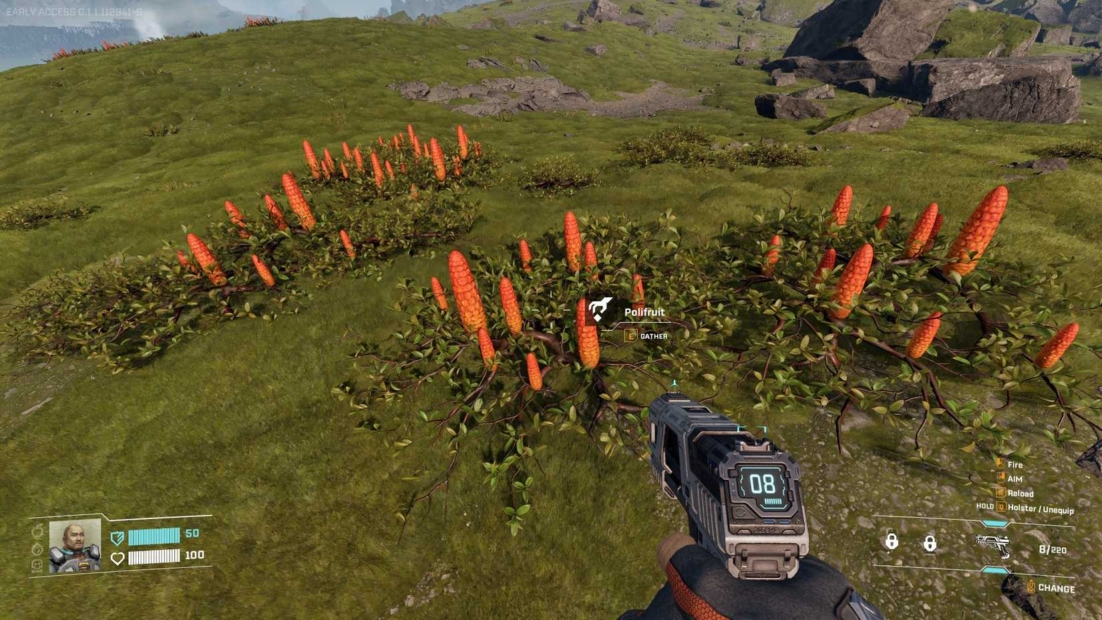
If your Calories drop below zero, you take damage over time. This can kill you even in a safe area if you’re distracted by base building or crafting. It’s an easy stat to overlook and one of the most common causes of avoidable deaths.
How to keep Calories under control:
- Eat Polifruit to refill Calories instantly
- Pick up Polifruit whenever you pass it
- Eat early instead of waiting for the bar to empty
Once cooking is unlocked, prepared meals become much more efficient. They restore more Calories and often provide extra buffs, reducing the need for snack breaks during long sessions.
Hydration
In StarRupture, Hydration works very similarly to Calories. It drains over time, regardless of what you are doing on Arcadia 7. If the bar drops below zero, you start taking damage over time.
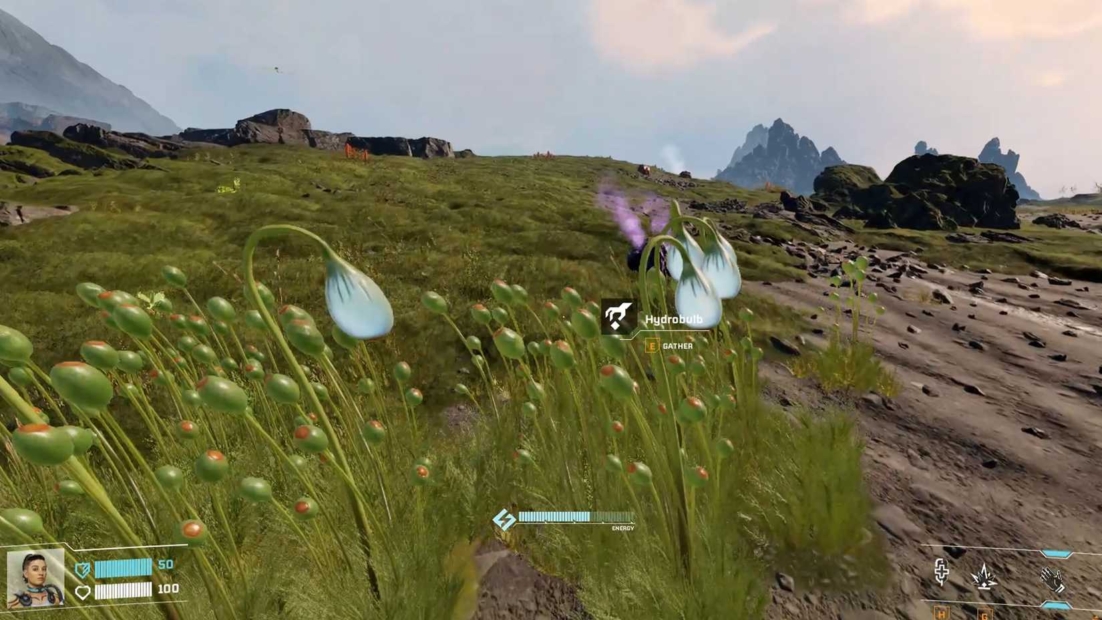
Letting Hydration and Calories run empty at the same time is extremely dangerous. You can lose large chunks of Health without ever fighting an enemy, simply by ignoring these two bars during exploration or base building.
How to restore Hydration:
- Eat Hydrobulbs for instant recovery
- Collect them whenever you pass water-related areas
After unlocking cooking, Hydrobulb-based meals become even more valuable. They often restore Hydration and other stats at once, reducing micromanagement on long trips.
Toxicity
In StarRupture, Toxicity works very differently from your other stats. It doesn’t drain or rise over time. It only increases when you consume items that explicitly add Toxicity, usually powerful food buffs with strong upsides.
Problems begin when Toxicity reaches 100. At that point, you’re hit with severe penalties that can quickly spiral out of control. The good news is that Toxicity is highly manageable if you pay attention to what you eat.
How to reduce Toxicity:
- Eat food made with Purplant
- Let time pass and allow it to lower naturally
- Avoid stacking Toxicity-heavy buffs at once
Smart usage tips:
- Use Toxicity foods for short, high-risk tasks
- Clear Toxicity before long exploration runs
- Never ignore the bar when it gets close to full
Stamina
In StarRupture, Stamina controls almost everything you do. Sprinting, dashing, double jumps, and evasive movement all depend on it. When Stamina runs low, your movement slows, and many actions become unavailable. In dangerous areas, low Stamina is often more lethal than low Health.
How to restore and improve Stamina:
- Eat food made with Serpent Root to boost regeneration
- Use these foods carefully, as they increase Toxicity
- Allow short breaks to let Stamina recover naturally
Key tips:
- Always keep Stamina above critical levels
- Don’t spam dashes when escape routes are limited
- Clear Toxicity before relying on Serpent Root buffs
How to Upgrade Your StarRupture Stats
Temporary fixes are useful, but permanent upgrades are what truly change your survival chances in StarRupture. These upgrades come in the form of LEMs. You start finding them early, but you can only use them after unlocking the LEM Station and gaining a few levels.
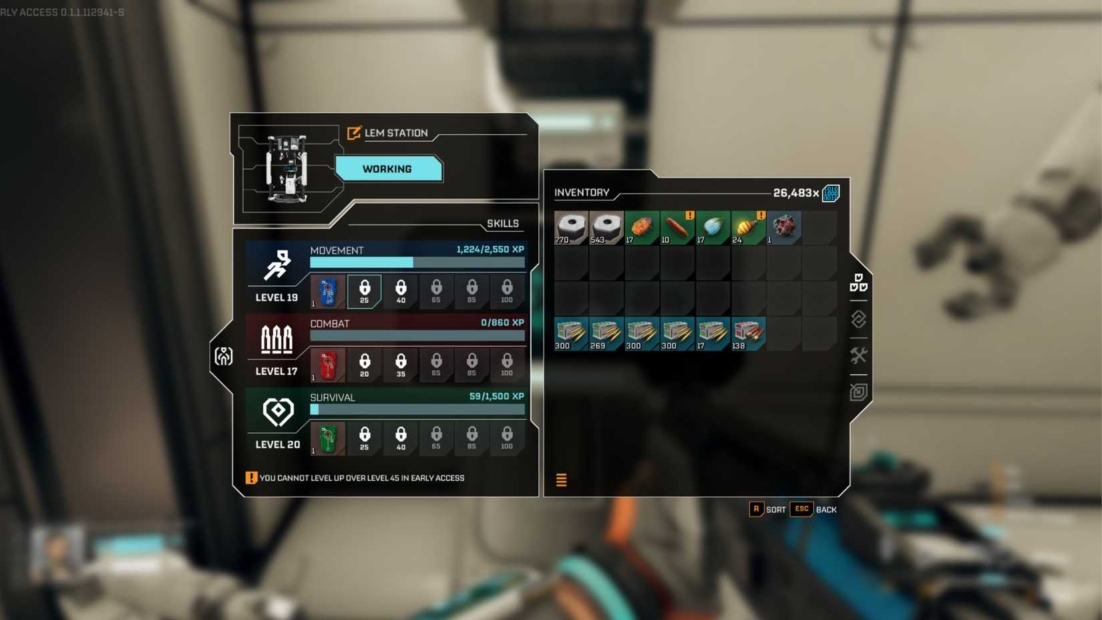
LEMs are tied to three progression paths: Movement, Combat, and Survival. As you invest in these, you unlock different LEM slots. You can track this progress in the last tab of your character screen.
How to equip LEMs:
- Unlock the LEM Station
- Level up to gain LEM slots
- Equip LEMs to permanently boost stats
LEM effects by stat:
- Shield: Shieldgiver
- Health: Lifegiver
- Calories: Dietician
- Hydration: Irrigator
- Toxicity: Detoxifier
- Stamina: Endurancegiver, Runner
LEMs define your build. Choose upgrades that match how you explore, fight, and survive on Arcadia 7.
Enhance Your Stats with PLITCH!
If you want more control over your stats in StarRupture, PLITCH’s StarRupture cheats offer powerful options to customize your experience. Instead of constantly fighting hunger, thirst, or recovery timers, you can smooth out the rough edges and focus on exploration and progression.
The most helpful codes for stat management are Refill Health, Refill Shield, Refill Hydration, and Refill Calories. These are ideal for long sessions or for learning new areas. For a more relaxed setup, Unlimited Health, Unlimited Energy, and Unlimited Shield remove most survival pressure.
For food-related systems, No Hydration, No Calories, and No Toxicity let you skip micromanagement without breaking the core gameplay loop. This makes PLITCH ideal for testing builds, experimenting with LEMs, or simply enjoying Arcadia 7 at your own pace.
Check out this blog to learn more about PLITCH and watch our StarRupture Trainer Showcase on YouTube to see our cheats in action!
Happy Gaming!
Check out our other StarRupture guides:
 English
  Deutsch